


Push Away From Surface
- Table of contents
- Push Away From Surface
Quick summary
It is generally desirable for guides not to penetrate the surface from which they are originating. However, during editing it is easily possible for such intersections to happen, especially if many guides are edited en-masse. Use the Push Away From Surface operator to solve this problem. Contrary to the Push Away From Surface button in the Edit Guides modifier, in this operator the user can include additional collision meshes to the groom.
Parameters
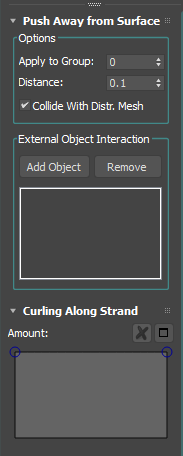
Apply to Group
Allows you to isolate the effect of this modifier by choosing a Strand Group created in the Edit Guides modifier.
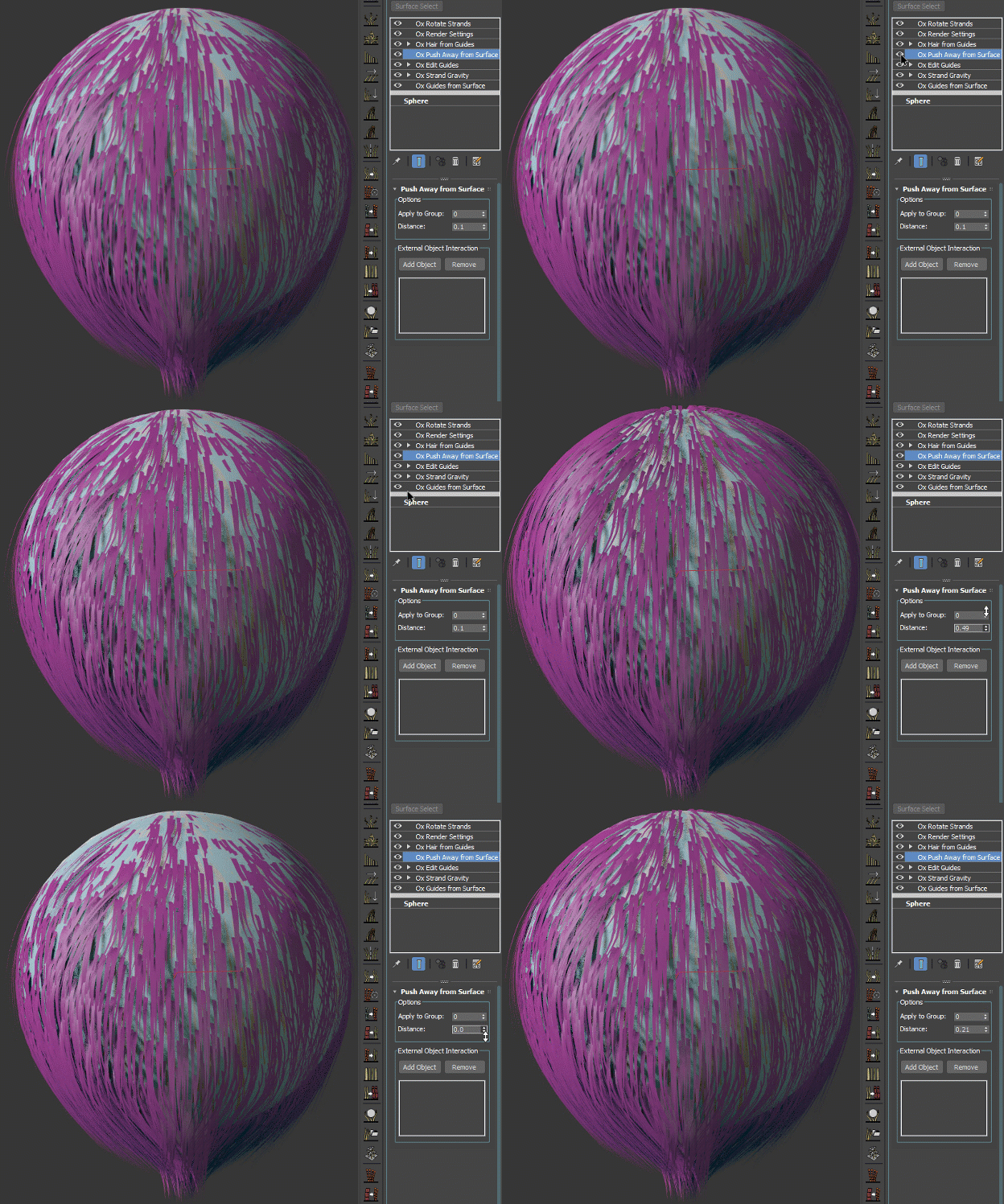
Distance
With this parameter you can control the distance at which the guides should be away from the mesh.
External Object Interaction
Adding additional Collision meshes to your groom is really simple, click the Add Collision Mesh button and select the mesh in the viewport.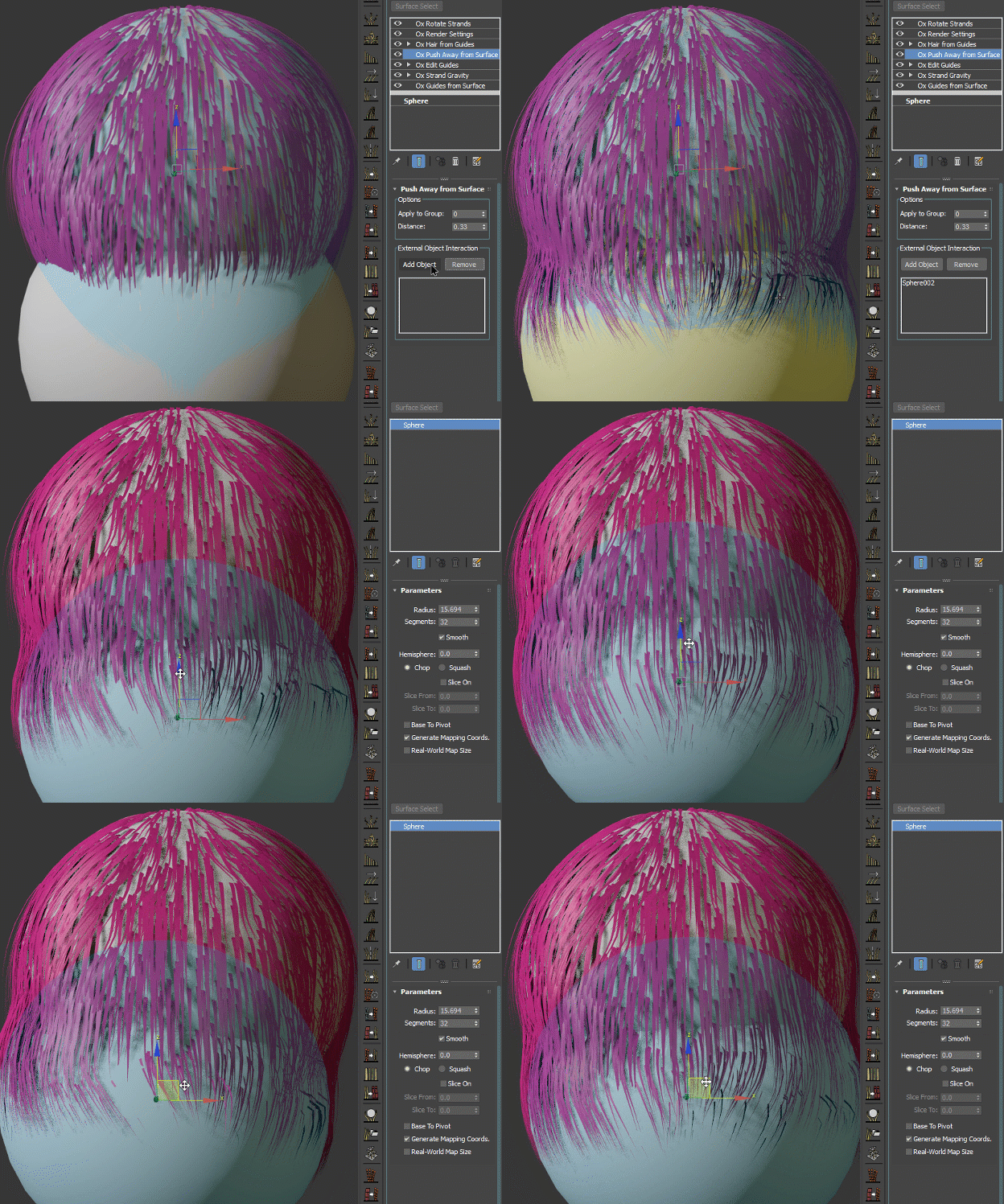
Curling Along Strand
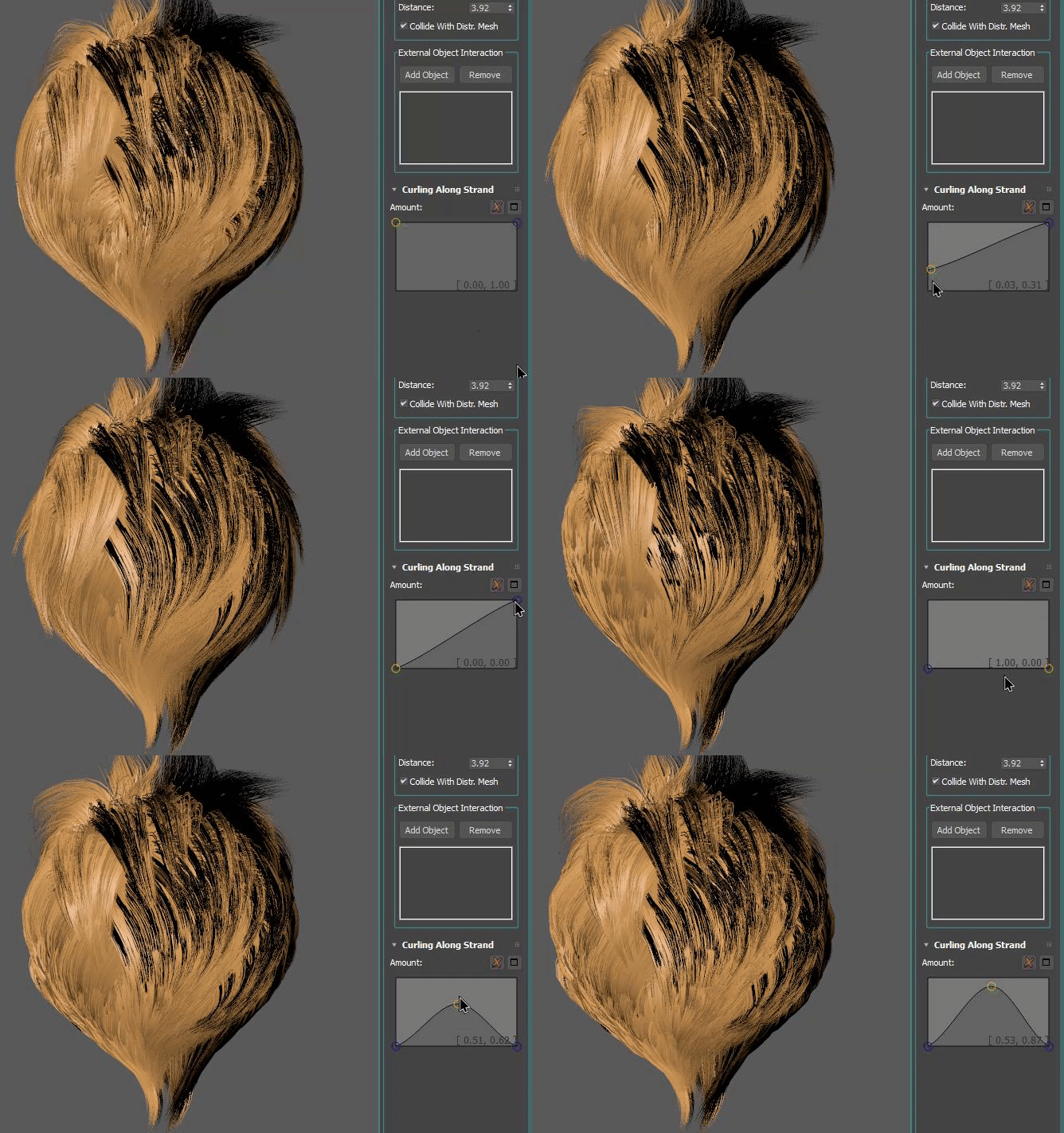
This Ramp Curve give you the ability to control the effect of this operator from root to tip.
Iteration Count
Number of collision resolution iterations. Increase for more accurate results with complex collisions.
Preserve State
Preserves the state from previous evaluations for smooth collision resolution during animation.
Smoothing
Applies optional smoothing to the pushed strands.
Length Correction
Applies optional length correction after the smoothing step. Set to 0 to disable.
Preserve Segments Length
Keeps the length of each strand segment in addition to the overall strand length correction.
Recovery Rate
Amount of recovery allowed in one step. Decrease for slower recovery. If set to 1 strands recover their original form in one frame.
Plasticity
Set plasticity to leave an imprint of the collision object. The strand fully recovers if plasticity is 0 and is kept in its state of maximum bend if plasticity is 1.
Force Zero Distance To Distribution Mesh
Do not keep distance to the distribution mesh.
Affect Selected Only
When enabled, only selected strands are affected.
Affect Points Independently
When enabled, each strand point is pushed away from the surface based on its own original position, so the offset applied to points near the root is not propagated down the rest of the strand. Combined with the Amount ramp this keeps the effect localized (for example only near the roots) instead of lifting the whole strand.
Push Points At Zero Distance
When enabled, points whose effective push distance is zero or negative are still pushed onto the surface, which is the legacy behavior. When disabled (the default for new operators) such points are left untouched, so a zero distance or a masking Amount ramp turns the effect off for them. Scenes saved before this option existed load with it enabled to preserve their look.
Limitations
Push Away From Surface currently supports closed meshes only. If the distribution mesh (or a collision mesh) is open - for example a dome, or a mesh reduced to a face selection so that the remaining surface is no longer closed - strands can spring back from their tips instead of settling at the requested distance. Use a closed mesh to avoid this.